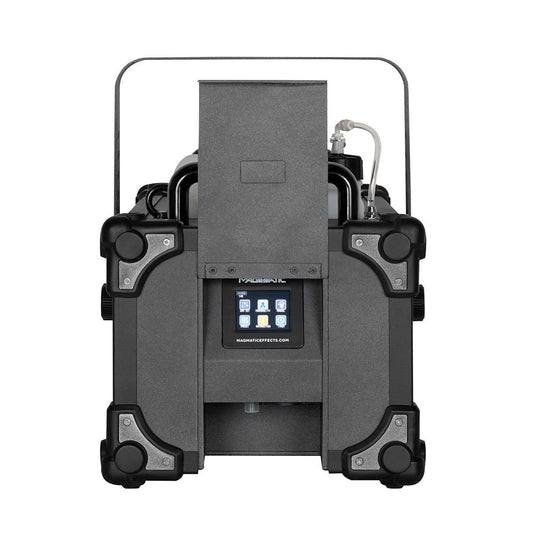
Collection: Smoke & Fog Machines

Smoke Machines FAQ

What’s the difference between a smoke machine and a hazer?

Smoke or fog machines create a visible 'cloud', 'burst' or 'layer' of obscuring smoke. It is usually an instantly thick output stream that creates a foggy environment or can be used for instant 'wow' factor in short bursts. Heavy use of smoke effects will hide visual elements such as sets or performers, which can be used to create reveals as needed.

Hazers are used to create an almost invisible blanket fill of the venue that is not obscuring of any visual elements in the room. Any lighting effect is then visually enhanced by the haze, allowing the full light beam to be seen from source to surface, enhancing lighting design by creating a blank canvas for it to layer upon. 

Haze effects can also be used in theatre, TV and filming to create an even atmosphere and soften background details, without being directly seen on camera or perceived by an audience.

Will a smoke machine set off the smoke detectors in my venue?

Depending on the type of smoke detection system, there is the potential for it to be triggered – this is the detector performing correctly and doing its job.

Smoke detectors are designed to detect small particles in the air using (usually) one of two methods:

Photoelectric type - Photoelectric-type alarms aim a light source into a sensing chamber at an angle away from the sensor. Smoke enters the chamber, reflecting light onto the light sensor; triggering the alarm.

Ionization type – these have a small amount of radioactive material between two electrically charged plates, which ionizes the air and causes current to flow between the plates.

When smoke enters the chamber, it disrupts the flow of ions, thus reducing the flow of current and activating the alarm. Different manufacturers of smoke detectors will produce different sensitivity levels of detection – some good… some bad! 

Depending on the placement of the installed smoke detector, it WILL detect the artificial smoke/haze particles in the air - this is the smoke detector correctly doing its job.

If the detector is installed further away from the location of the smoke output then there is a possibility that the smoke/haze will have dispersed by the time it reaches the smoke detector (or an open window/door may blow the smoke away from the detector location) 

But if smoke is not reaching the detector due to air flow, then you may want to reconsider the current location (or quantity) of your smoke detection systems – as you may have a fire detection risk!

Depending on the fluid type you are using in your machine (only use the recommended fluid types) and low volume trigger levels you may find that the smoke is dispersing faster than it takes to reach the smoke detector and will not set the alarm off. 

Or adversely you may be using a fluid that is designed to hang around a long time (like high density fluid) and over saturating the room with smoke levels. This may also cause the smoke to travel much further into locations within the venue that you would not expect (adjoining rooms for example) and trigger detectors in different zones.

The only solution to 100% avoid triggering a smoke alarm in all situations is to turn the detectors off – but this is absolutely not advised unless you have a suitable secondary fire detection system in place, such as heat sensors, for example. 

Some venues have permanent live heat detectors and a switchable smoke detection system in their main venue rooms (with other rooms still permanently active) where the smoke detectors are ONLY turned off during events (leaving the heat detectors live) and are turned back on again soon after the event (giving both heat and smoke detection).

Always check with your local fire department, building regulators and insurance company to understand what solution can be provided in accordance with local guidance, laws and risks regarding smoke and fire detection systems in your venue. 

Also, be cautious of any company that states that their smoke machines or fluid will not trigger smoke detectors – see above for reasons why this may not be the case.

How to do I link multiple Martin/JEM ZR 25/35/45 units?

It is possible to control several machines from one digital remote control, allowing a flexible setup for more advanced performance requirements.

The machine with the remote plugged into it is set as the Host. The other machines are set as Clients. The machines are interconnected with DMX cabling.

• Use the Previous / Next buttons to select the LINK MODE option from the SETTINGS menu.
• Use the Up/Down buttons to select RECEIVE (client unit) or SEND (host unit). Press the ENTER button to store the link setting.

The machine should be set to SEND only if it is running as a host. If running as a client, stand-alone or DMX controlled it should be set to RECEIVE.
If a machine set to SEND is connected to an active DMX system, the DMX will be corrupted, causing flickering of lights and other issues – if this is the case, double check you have correctly set up the Host unit as SEND and the Client units as RECEIVE.

Why do the continuous output and fluid consumption figures on the spec not add up?

This is related to the "pump ramping" technology in machines, allowing for temperature adjustments for optimum machine efficiency. Take a look at our in-depth guide to continuous output and fluid consumption rates for more detail.

What type of smoke or fog machine do I need?

Our expert guide covers multiple considerations in what to look for in your atmospherics equipment – whether it’s a smoke machine, hazer, low fog or install fog machine, and what power levels and features to look for depending on the requirements of your setup.

For any further questions, contact our specialist team for guidance and we’ll be happy to recommend the best product for the job.

How to Choose the Right Smoke Machine
  • Expert advice from industry specialists

    With over 25 years of experience in the industry, we live and breathe atmospherics.

    KNOWLEDGE HUB 
  • Further questions?

    Our expert advisors are on hand to help, finding you practical solutions to bring your vision to life.

    CONTACT US 
Illustration of a warehouse with a checklist, van and Haze Tech logo mug

Trade Accounts

Contact us to discuss opening a trade account for repeat ordering, with discounted pricing and payment terms.

Open an Account